
 MitiBar
Today's Nepali date, always in sight.
MitiBar keeps the Bikram Sambat date on your desktop and the month a click away. It is small, starts at once, and never goes online.
Shown at twice its size. At real size:
Thu · Nov 5, 2026. Kartik 19, 2083.
Where the date sits
- Windows
- A small bar above the taskbar, wherever you drag it, and today's day on the tray icon. The bar hides while a full-screen app is in front.
- macOS
- Today's day in the menu bar. Click it for the month.
- Linux
- Today's day in the system tray, on desktops that show tray icons. Click it for the month.
Everything is one click from the date
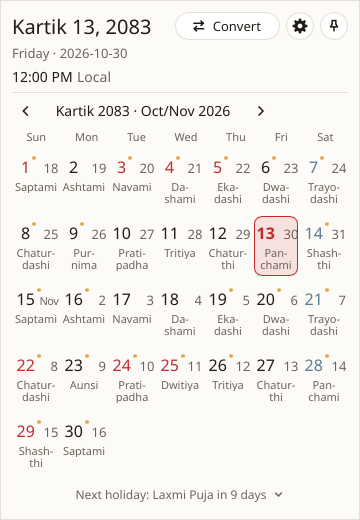
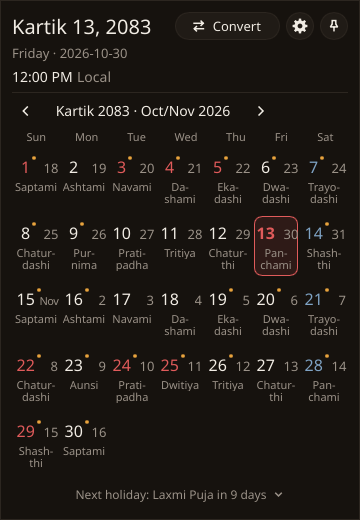
The month, one click away
Click the tray icon or the bar, or press Win+Shift+N. Each day shows its tithi; public holidays are in red and the next one is named at the bottom.
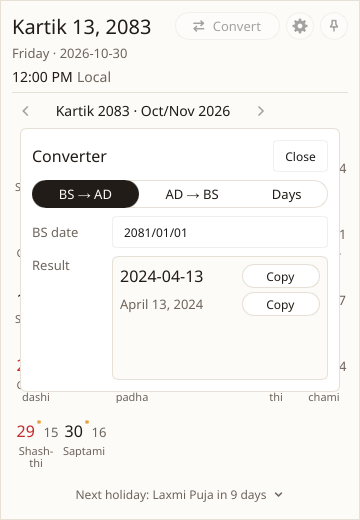
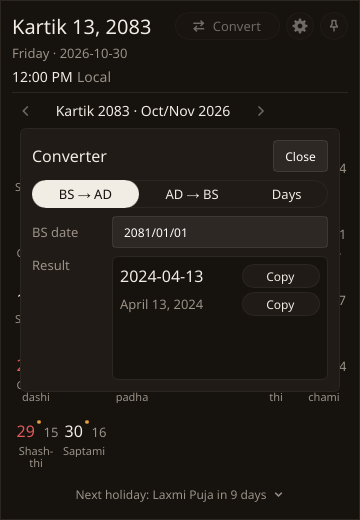
BS and AD, both ways
Type a date in either calendar and get the other, or count the days between two dates. Separators appear as you type, and Copy puts the result on the clipboard.
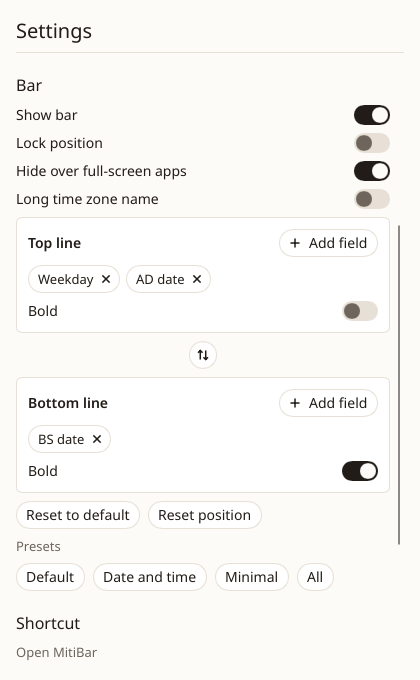
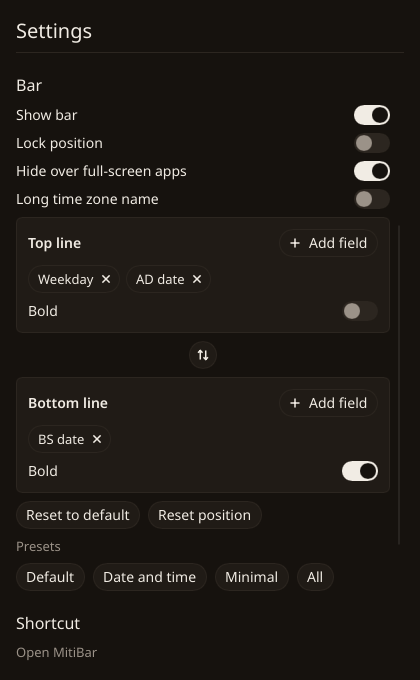
Two lines, your way
Pick what each line shows from weekday, BS and AD dates, time, tithi and holiday, make either line bold, swap the two with one button, or start from a preset.
Small on purpose
MitiBar does one thing: the date. It is written in Rust with the Slint toolkit and draws its own windows, so it needs no browser engine and no runtime to install.
- 11.0 MB
- The whole Windows app, one file.
- 68 ms
- From launch to the date in the tray.
- 33 MB
- Memory of its own while it waits.
- 0
- Network connections. No account, no ads, no tracking.
Measured on a Windows 11 laptop with a Core i5-12500H. The method and every run are in the benchmark notes.
Download
Version 1.0.0. Every file is built from the tagged source by the release workflow on GitHub.
- Installer, x64Most PCs
- Installer, ARM64Snapdragon and other ARM PCs
- Portable, x64A zip; no install
- Portable, ARM64A zip; no install
Check a file against SHA256SUMS: certutil -hashfile mitibar_1.0.0_x64-setup.exe SHA256. With the GitHub CLI you can also check that the release workflow built it: gh attestation verify <file> -R sanamhub/mitibar.
- Disk imageDrag MitiBar to Applications
Check a file against SHA256SUMS: shasum -a 256 MitiBar-1.0.0.dmg. With the GitHub CLI you can also check that the release workflow built it: gh attestation verify <file> -R sanamhub/mitibar.
- Debian and Ubuntu, x64.deb package
- AppImage, x64Any distribution
Check a file against SHA256SUMS: sha256sum mitibar_1.0.0_amd64.deb. With the GitHub CLI you can also check that the release workflow built it: gh attestation verify <file> -R sanamhub/mitibar.
Code signing policy
Windows releases will be signed with free code signing provided by SignPath.io, with a certificate issued by the SignPath Foundation. Until the certificate is issued, Windows may say the publisher is unknown; check the file against SHA256SUMS before you run it. The macOS build is not notarized yet: open it the first time with Control-click, then Open.
Committer, reviewer and approver: sanamhub. Each signing request is approved by hand, for a release built from a tagged commit.
Privacy: MitiBar makes no network connections and sends nothing to any other computer. It keeps a settings file and a log on your own machine. The list of everything inside each build is in its software bill of materials.
Want more than the date?
MitiBar stays small on purpose. If you want a whole toolbox on your Windows taskbar, try NepDate Widget, from the author of the original C# NepDate library. Next to its calendar and converter it has an EMI calculator, Preeti to Unicode, notes and reminders, a QR tool, network tools and more. It is open source too, on GitHub.
Need the calendar in your own code?
MitiBar is built on the NepDate libraries, which convert dates the same way in nine languages. The full calendar, with every month's holidays, is on Patro.